Smart bulb or smart relay: which solution suits your lighting?
The smart bulb brings colour and dimming, while the relay behind the switch keeps your bulbs and your switch. How to choose between the two according to the lighting, the switch and who uses it.
- Level
- Beginner
- Active time
- 15–45 minutes
- Home Assistant required
- Optional
You want to control the lamp from your phone. You have two paths: replace the bulb with a smart one or put a relay behind the switch. They look the same, but lead to a different home.
We do not recommend one of the two for everyone. Here is the comparison you choose by.
What you will get
Three questions and a decision table. At the end you know which of the two suits each lamp in your home.
What you will need
- A list of the lamps: socket type, number of bulbs, whether they are dimmable.
- Whether the wall switch matters to you (it does), and whether there is a neutral wire behind it.
- Nothing is bought for this article. This is a choice before purchase.
How it works
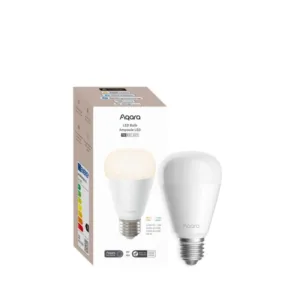
A smart bulb is a lamp with its own radio. It is smart only while it receives power. If you turn off the switch, it disappears from the network.
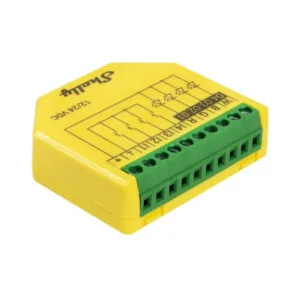
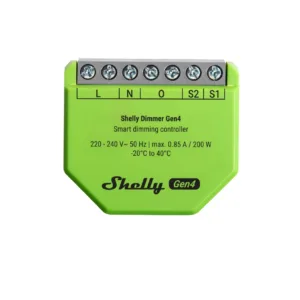
A smart relay sits behind the switch or in the lamp’s box and switches the power on and off. The bulbs stay ordinary. The switch can stay and keep working.
The idea: the bulb makes the lamp smart, the relay makes the circuit smart.
Comparison
| Smart bulb | Smart relay behind the switch | |
|---|---|---|
| Colour and dimming | Yes, if the bulb has them | Only on and off |
| Wall switch | Must stay on or be replaced with a push button | Stays and works |
| A lamp with many bulbs | Every bulb is smart and more expensive | One relay for the whole circuit |
| Installation | You screw in the bulb | You open the switch box |
| If someone turns off the switch | The lamp becomes unavailable | The switch is part of the solution |
| Neutral wire | Not needed | Depends on the relay |
How we choose
- Do you want colour and smooth dimming? Bulb. The relay does not dim.
- Does the switch need to work as before? Relay. With a bulb the switch stays on and you lose manual control.
- How many bulbs does the lamp have? Many (a chandelier): the relay is cheaper and easier. One: the bulb is the simplest start.
- Are you a tenant, or can you not touch the installation? Bulb.
- Is there a neutral wire in the switch box? Some relays require it. See the relay’s page; there are models without a neutral wire.
How it is at our place
In Marto’s Home Assistant registry there are seven Sonoff MINIR4 relays (Wi-Fi), two ZBMINIL2 relays (Zigbee, no neutral wire) and two Shelly Plus 1PM. So for him the main choice is relays behind the switches. Colour strips are controlled by separate controllers. The registry does not prove that every relay is used today.
Steps
- Go around the rooms and answer the five questions above for each lamp.
- Split the lamps into two groups: “bulb” and “relay”.
- Start with one lamp from each group if you are not sure. This way you see the difference without buying everything.
- For a relay: switch off the circuit breaker, check with a tester that there is no voltage, and install following the manufacturer’s guide.
- For a bulb: screw it in, add it to Home Assistant or to the manufacturer’s app.
- Leave the wall switch of the lamps with bulbs on and stick a note so the family does not turn it off.
Checking the result
- Turn the wall switch off and on. With a relay the lamp responds, with a bulb it loses connection.
- Control the lamp from the phone while the switch is on.
- Ask another person in the household to use it without an explanation. If they cannot, the solution is complicated.
If it does not work
- A relay that hums or blinks: an incompatible bulb (with some LEDs) or a wrong wiring scheme. See the guide.
- The bulb does not connect after the switch is turned off: this is normal, it needs time to come back.
- The relay does not switch on without a neutral wire: the choice was for a different scheme.
Limitations
The relay does not dim LED bulbs; for dimming you need a bulb or a dimmer with support. A smart bulb behind a switched-off switch is unavailable. Work in the switch box is at mains voltage: do not do it without the necessary experience. The article gives no wiring diagrams, but helps with the choice.
Sources and verification status
- Light in Home Assistant, verified on 22.11.2026.
- The manufacturers’ guides for the specific relays and bulbs.
- Marto’s device registry was read in read-only mode on 22.11.2026.
At home
Marto
In the Home Assistant registry of Marto there are seven Sonoff MINIR4 Wi-Fi relays, two Sonoff ZBMINIL2 Zigbee relays without a neutral wire and two Shelly Plus 1PM relays. There are also RGB strips controlled by controllers. The relays sit behind wall switches, which keep working.
Need a hand?
We can set up and install everything in this project. In some regions we install it ourselves — ask us.
Contact us